Overview
An Ad Campaign allows you to play short videos (ads) before, during, or after Published Videos. The campaign can be configured to target All Events, certain Events by Category, or on a per-event basis. The Ad Campaign manager allows you to set any Media from your Global Media Library
Notes:
- Ad Campaigns only apply to Published media. Live Videos are not supported.
- By default all ads are skippable by the end-user after five seconds; we provide no method of circumventing this limit.
Ad Intervals
While there are three options of Ad positions (pre-roll, mid-roll, or post-roll), you may select any combination thereof.
pre-roll: This will play a given Ad before your Event starts playingmid-roll: This will play a given Ad in the middle of your Event (Duration divided by 2)post-roll: This will play a given Ad after your Event has finished playing
Campaign Scope
All Events
When an Ad Campaign is designated to serve on "All Events", it will automatically be incorporated into all Embedded Events.
Category-based Campaigns
If this option is selected all embedded Events assigned to the designated Category/Categories provided will show the Campaign's Ads.
Event-based Campaigns
Only those Events assigned to the Ad Campaign in question will show the Ads set.
Note on Campaign Scope:
The Ad Campaign will currently work only if:
- Events are embedded through Invintus' embed code given through the "Share" tab, be they 'script' or 'iframe' embeds, or via the Invintus globalplayer embed code
- Your own embedded Event approach utilizes any non-empty VAST property given by our API.
Weight and URL
Under the Campaign Videos tab (in the Ad Campaign manager) you are allowed to specify two properties to each Ad: weight and url.
Weight:
Ad Weight represents how often you'd like a given Ad to play during a Campaign.
For instance if you have two ads, one 'weighted' at 8 and another ad 'weighted' at 2, our system will automatically disperse the 8-weighted ad at a ratio of 8-plays-to-2 for any number of Ad play requests.
However, please note that for the weight property to take effect, our system first has to server all ads in your Campaign at least once. If you weigh all Ads in given Campaign to the same value, the interval at which each Ad will be played will be the same.
URL:
When a user clicks on the Ad playing, they will be redirected to the URL specified.
Ad Metrics and Analytics
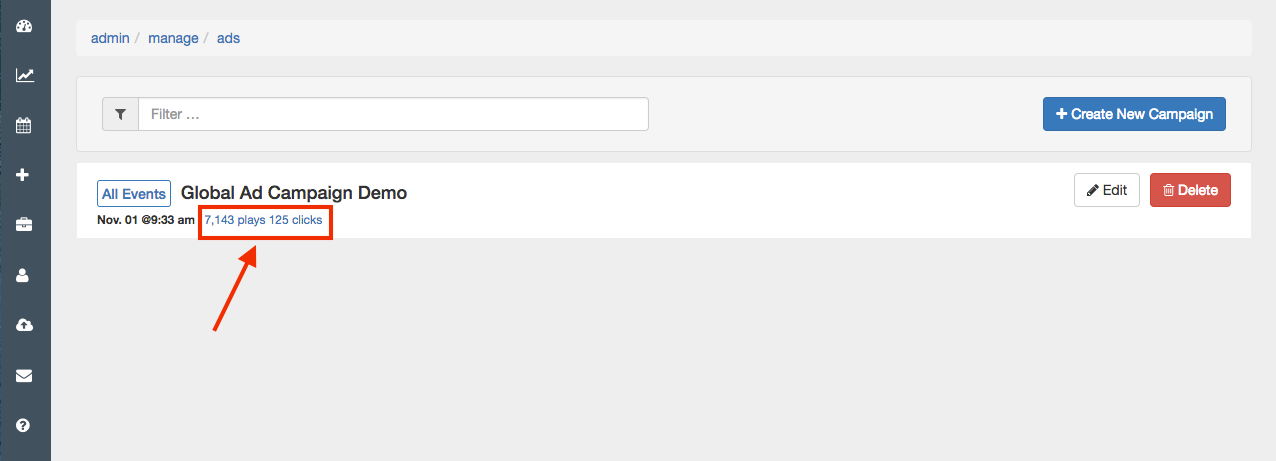
We track certain properties for Ads across all Campaigns. To get to a Campaign's analytics, click on the plays/clicks link from the Campaign Listing page. The Play count represents how many times ads have been delivered through the platform, and Click counts represents how many times ads have been clicked by your viewers. The Click Rate is calculated as a ratio between the two.